 ultimate-guide
What Is Business Process Automation? A 2026 Guide
Table of Contents
- What Is Business Process Automation?
- Business Process Automation Benefits for Small Teams
- Business Process Automation Examples You Can Copy
- Which Processes Should You Automate First?
- Business Process Automation Tools: What to Look For
- Business Process Automation Best Practices
- How to Implement Automation Without Disrupting Your Work
- Frequently Asked Questions
Last Updated: October 17, 2026
What Is Business Process Automation?
Business process automation is the use of software to run recurring, rules-based business tasks with minimal manual input.
That definition separates real business process automation from simple task automation.
For consultants and small professional services firms, the pattern is consistent: the work that drains a week is rarely the client work. It is the handoffs around it.
How Business Process Automation Works
Every automation runs on four components: a trigger, business rules, actions, and a record of what happened. A trigger starts the process, such as a proposal being accepted.
Most teams fail here because they automate the action but never define the rules. The automation then breaks the first time a client asks for a non-standard billing structure, and someone switches it off for good.
Business Process Automation Benefits for Small Teams
The clearest benefit for a small firm is recovered billable capacity.
The second benefit is accuracy. Manual data entry across disconnected tools creates duplicate records and missed invoices; automation removes the re-keying step where most errors originate.
Small teams also gain consistency: a proposal template that always includes the right terms, an invoice that always goes out on schedule, an approval that always reaches the right person.
Business Process Automation Examples You Can Copy
The most useful business process automation examples for professional services firms cluster around the client lifecycle. Here are four you can set up without a developer.
- Proposal to project: A client accepts a proposal, and the system creates the project, assigns the team, and starts the clock.
- Time to invoice: Approved billable hours roll into a draft invoice at the end of the billing period, ready for review rather than built from scratch.
- Approval routing: Expenses or discounts above a set threshold route to a second approver automatically.
Each replaces a multistep transaction that depends on someone remembering to do it. The common thread is a handoff between people or tools, exactly where manual processes break.
Which Processes Should You Automate First?
Start with the process that is high-frequency, rules-based, and painful. Frequency matters more than size: a five-minute task done forty times a month costs more than a two-hour task done twice a quarter.
Avoid processes that are genuinely judgment-heavy or change shape with every client. Those need human oversight, and automating them early produces exceptions you will spend more time managing than the original task.
A Simple Prioritization Framework
Score each candidate process from 1 to 5 on three criteria, then multiply the scores. The highest total wins.
| Criterion | Question to Ask | Score 1 (Low) | Score 5 (High) |
|---|---|---|---|
| Frequency | How often does this run? | Quarterly | Daily |
| Rule clarity | Are the steps predictable? | Heavy judgment | Fully rules-based |
| Pain | How much time or error does it cause? | Minor annoyance | Recurring rework |
A process scoring 5 on frequency, 5 on rule clarity, and 4 on pain totals 100 and should be your first build. One scoring 2, 2, and 5 totals 20 and should wait. This keeps you from automating the loudest complaint instead of the most expensive one.
Business Process Automation Tools: What to Look For
The right business process automation tools depend on whether you want a platform that runs your core workflows or a connector that stitches separate apps together. The useful question is narrower: which category fits your process, and what will that choice cost you in integration and data quality over the next two years?
The four tool categories you will actually encounter
- Workflow and BPM platforms. Tools built around process modeling, forms, approvals, and routing. They suit multi-step, human-heavy processes such as onboarding, contract review, or expense approval. The trade-off is configuration effort: someone has to model the process, and that model becomes an asset you maintain.
- iPaaS and integration platforms. Connectors and API orchestration that move data between systems you already own. They suit teams whose process spans several SaaS apps and whose bottleneck is the handoff, not the workflow logic. The trade-off is that you still need a place to define rules and exceptions.
- RPA (robotic process automation) tools. Software robots that interact with applications through their user interface, often used where no API exists. They suit legacy systems and repetitive screen-based tasks. The trade-off is fragility: interface changes break bots, so they need monitoring and maintenance.
Match the category to the constraint. Missing API? Look at RPA or an integration platform. Five tools each holding a fragment of the client record? Look at consolidation. A genuinely complex approval chain? Look at a workflow platform.
Integration, legacy systems, and data quality
Integration is where most automation projects quietly fail. Three constraints belong on your evaluation checklist:
- API coverage and rate limits. Ask which objects the tool can read and write, and whether it exposes webhooks for events rather than forcing polling. A connector that only syncs every few hours may be fine for reporting and unacceptable for invoicing.
- Legacy and on-premise systems. If a core system has no API, your options are a database-level integration, a file-based exchange, or RPA against the interface. Each has different reliability and audit characteristics, so decide deliberately rather than discovering it during the pilot.
- Data standards and identifiers. Automations break when the same client exists under three names. Agree on a single identifier (a client ID, a domain, or an account code) and enforce it before you connect systems. Data quality work done up front is cheaper than exception handling done forever.
Exception handling belongs in the same conversation. Ask how the tool surfaces failed runs, whether it retries automatically, and where a human is notified. An automation with no visible failure path is worse than a manual process, because nobody knows it stopped.
A five-question evaluation checklist
When you compare options, score each one against these questions rather than a feature list:
- Does it cover the whole workflow, or only one step of it?
- Can it handle your real variation, custom proposal templates, mixed billing structures, multi-entity clients?
- Does it produce a clean audit trail showing who approved what and when?
Add a sixth question: who owns the automation after launch? If the answer is "the person who built it," you have a bus-factor problem. Name an owner, document the trigger and rules, and schedule a quarterly review.
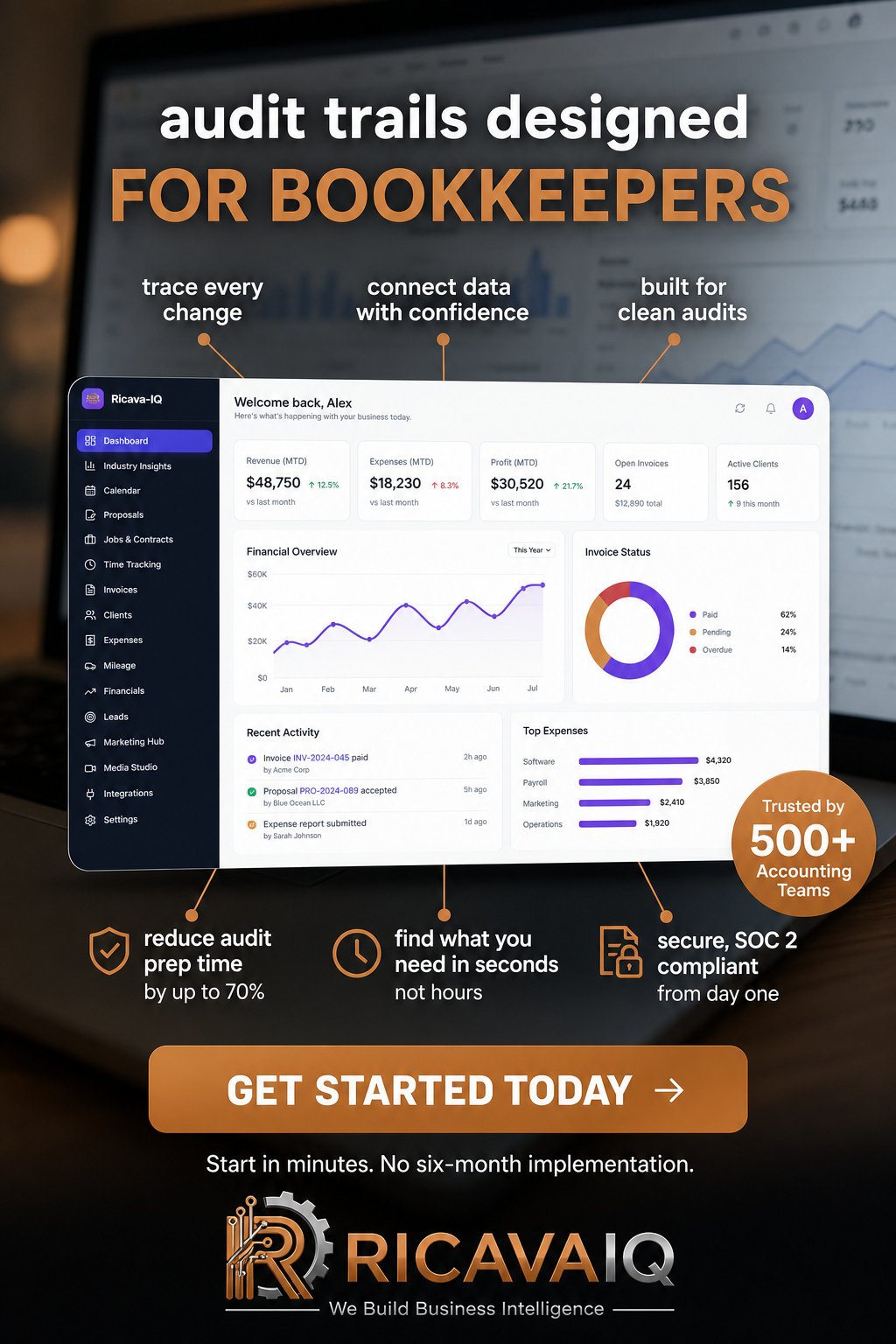
RicavaIQ is a business intelligence platform specifically engineered to streamline operations by integrating proposal management, precise time tracking, seamless invoicing, and full CRM management into a single cohesive system, so the handoffs happen inside the platform rather than between tools. You can test the fit on a 14-day free trial before committing.
Business Process Automation Best Practices
The teams that get value from automation follow a few business process automation best practices that have little to do with the software.
A common mistake is automating everything at once. Pick one process, run it for a full cycle, fix what breaks, then move to the next.
Document each automation as if the person who built it will leave.
Governance, Security, and Human Oversight
Automation moves client data between systems, so governance is not optional. Know where data is stored, who can access each workflow, and how you would retrieve everything if you switched platforms.
Keep human approval on anything financial or contractual, an invoice drafted automatically should still be reviewed before it sends. Define what happens when a client disputes an hour, a proposal is rejected, or a payment fails.
How to Implement Automation Without Disrupting Your Work
Implementation fails when it runs in parallel with a full client load and no owner. The difference between an automation that survives and one that gets switched off is whether you can show it worked.
Step 1: Map the current process and set a baseline
Before you configure anything, write down the process as it actually runs, including every exception. Then measure it. You need a baseline to prove value later, and the numbers are usually easy to collect for one billing cycle:
- Volume: how many instances per month (invoices, proposals, onboarding packets).
- Cycle time: elapsed time from trigger to completion, and hands-on time per instance.
- Error rate: rework, credit notes, missed approvals, or duplicate records per 100 instances.
A common pattern in small professional services firms is a process that takes 20-30 hands-on minutes per instance and runs 30-60 times a month. That is the size of the prize, and writing it down keeps the project honest.
Step 2: Pick one process and define success criteria
Use a prioritization score rather than the loudest complaint. Score frequency, rule clarity, and pain from 1 to 5 and multiply. Then write success criteria before you build: for example, "cut hands-on time per invoice from 25 minutes to under 10, and reduce missed approvals to zero over one full billing cycle." Criteria written in advance prevent the post-launch argument about whether it worked.
Step 3: Pilot with one client or project for a full cycle
Configure the automation and run it on a single client or project for one complete cycle, a full month of time tracking through invoicing, or one complete onboarding. Keep an exception log: every time a human intervenes, record why. After one cycle, that log tells you which rules to fix, which is far more useful than a feature review.
Step 4: Measure against the baseline, then expand
At the end of the pilot, compare the same four metrics to your baseline. The formulas are simple:
- Time saved per month = (baseline hands-on minutes − pilot hands-on minutes) × monthly volume ÷ 60.
- Cost saved per month = time saved × loaded hourly rate, minus any added tool cost.
- Payback period = one-time setup cost ÷ monthly cost saved.
If the pilot does not beat the baseline, do not expand. Fix the rules or abandon the process, expanding an unproven workflow just multiplies exception handling.
A worked example: proposal to invoice
Consider a two-person consulting firm that sends 20 proposals a month and invoices 15 clients monthly.
After mapping, the firm automates the handoff: an accepted proposal creates the project and starts the timer; approved hours roll into a draft invoice for review.
The lesson is not the specific minutes. It is that the pilot produced a measurable result and a short list of rules to fix, which makes the second process faster to automate than the first.
If your stack is a time tracker, a separate invoicing tool, and a spreadsheet, the migration question is fair. Consolidation pays off when the tools you replace overlap, and costs you when they do not. Map your workflows and measure one cycle first, then decide.
Frequently Asked Questions
What is the difference between BPA, RPA, and BPM?
Business process automation (BPA) is the broad practice of automating entire workflows using software, rules, and integrations. Robotic process automation (RPA) is a narrower technique that uses software bots to copy repetitive screen actions, such as moving data between systems. Business process management (BPM) is the discipline of mapping, measuring, and improving processes, with automation as one outcome. In practice, BPA sits between them: it uses BPM thinking to decide what to change and can include RPA-style bots for specific tasks.
Which business processes should you automate first?
Start with processes that are frequent, rule-based, and painful. Good candidates include proposal creation, time tracking, invoicing, approval routing, and data entry between tools. Score each candidate on volume, time spent, error rate, and how clearly the rules can be written down. Pick one process with high volume and low complexity, automate it end to end, and measure the result before moving on. Avoid starting with processes that change constantly or depend on judgment calls.
What tools are used for business process automation?
Tools range from all-in-one platforms that combine CRM, proposals, time tracking, and invoicing to specialized workflow builders and integration services. For consultants and small firms, an integrated platform can be highly beneficial, as data stays in one place and handoffs disappear. RicavaIQ, for example, bundles functions like proposal management, time tracking, and invoicing with a 14-day free trial so you can test the workflow before committing.
How can a small business get started with process automation?
Map one workflow on paper, note every manual step, and identify where data is re-typed or handed off. Choose a tool that covers most of those steps natively, run a short pilot with one client or project, and compare cycle time before and after. Set a review date to check error rates and hours saved. Keep a human approval step on anything financial or client-facing at first, then widen automation as confidence grows.
Automating one process well beats automating five badly. If your administrative load is spread across disconnected tools, RicavaIQ brings proposal management, precise time tracking, and seamless invoicing into one platform built for consultants and small firms. Start with the 14-day free trial, map your first workflow, and see how many billable hours you recover.